
Inventory Intelligence
Know what is on the shelf during the shift, and where your waste comes from.
What usually happens
- Nobody knows the real quantity of an ingredient until the month-end count.
- Deliveries and transfers between branches live on paper.
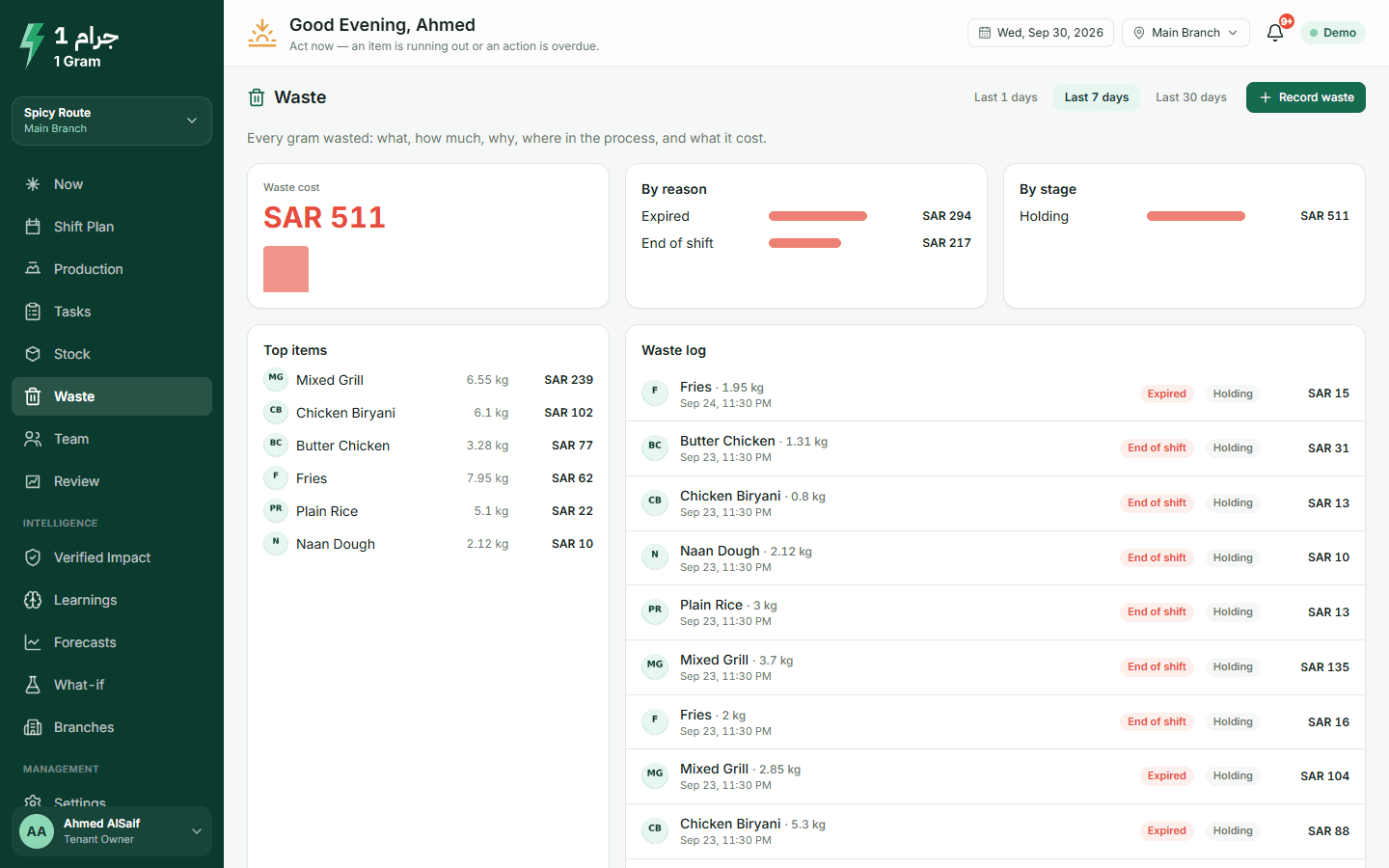
- Food goes in the bin without a record, so the same loss repeats every week.
What the system does
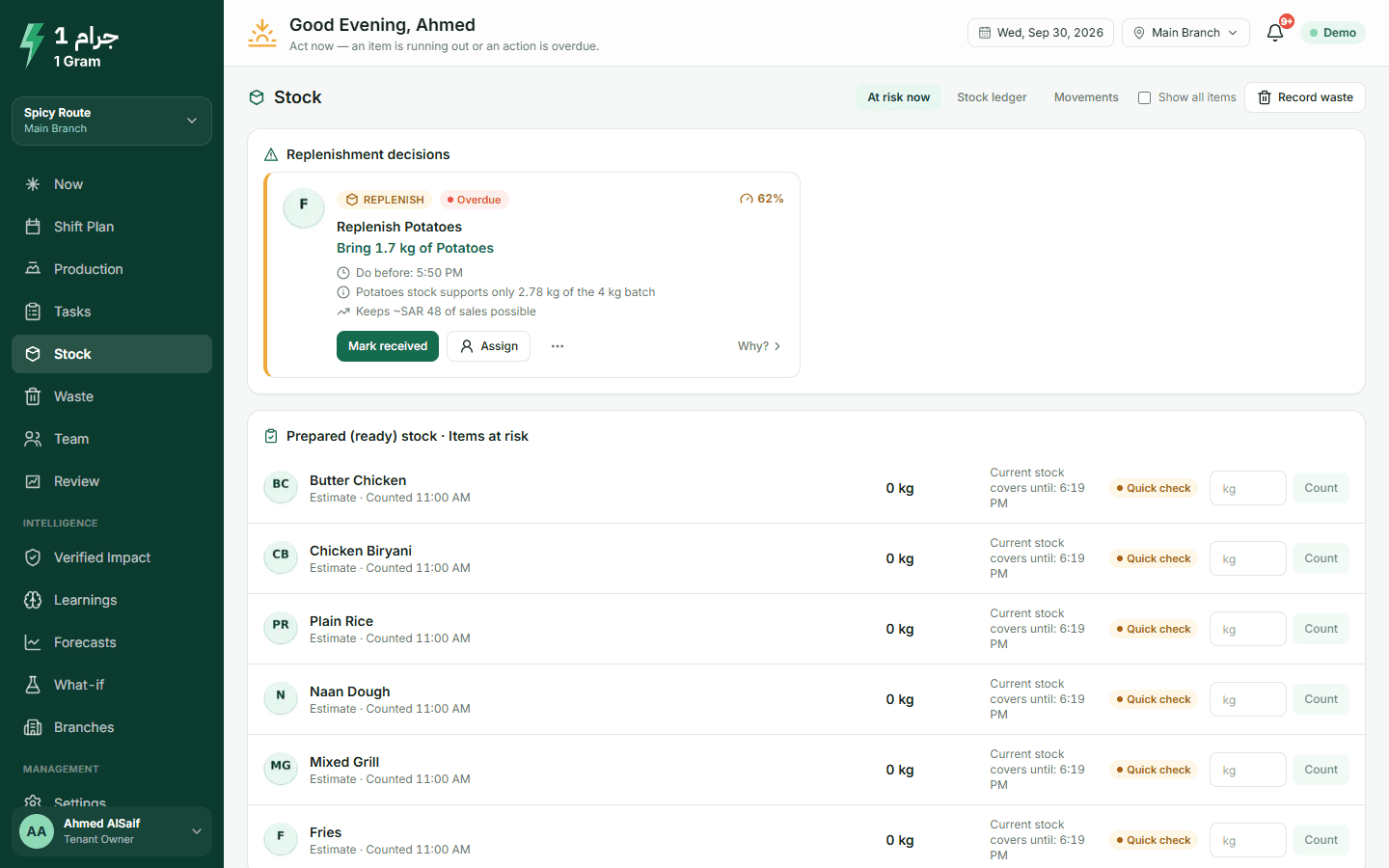
- An expected quantity for every ingredient
- The last count, plus deliveries and transfers, minus spoilage and what each batch used by its recipe.
- Counts that show the difference
- Each count keeps what was expected just before it, so the gap and its value stay visible.
- Receiving and transfers
- Deliveries with invoice number and unit cost. Transfers out of one branch and into another.
- Waste with its reason and stage
- Quantity, cost, reason and stage, with a photo if you want.
- A warning before service
- If ingredients for the next batch are short, you get a replenish action, or an escalation when no batch can make it in time.
What to expect
Stock figures are only as good as the counts behind them. The system shows how old each count is and asks for a new one when the numbers stop making sense.
More on the product page
Record a count and some waste yourself
The demo restaurant has stock and waste pages filled with sample data. Record a count or some waste and watch the figures change.
The live demo opens your own copy of a demo restaurant with two branches and four weeks of sales. No account needed.
Start free trialLive demo without an account · Arabic and English